Castellan protects your personal context across AI agents.
Keep your experience. Level up with every agent.
An invitation and a passkey are required. See how to get started. The overview PDF is public and shareable.
Every agent starts at zero. Castellan captures your personal context layer securely.
Start in your browser at beta.castellan.us. Save the knowledge and rules you approve, use them with your personal Squot, and choose what each connected agent can read. Your online workspace stays in encrypted account storage.
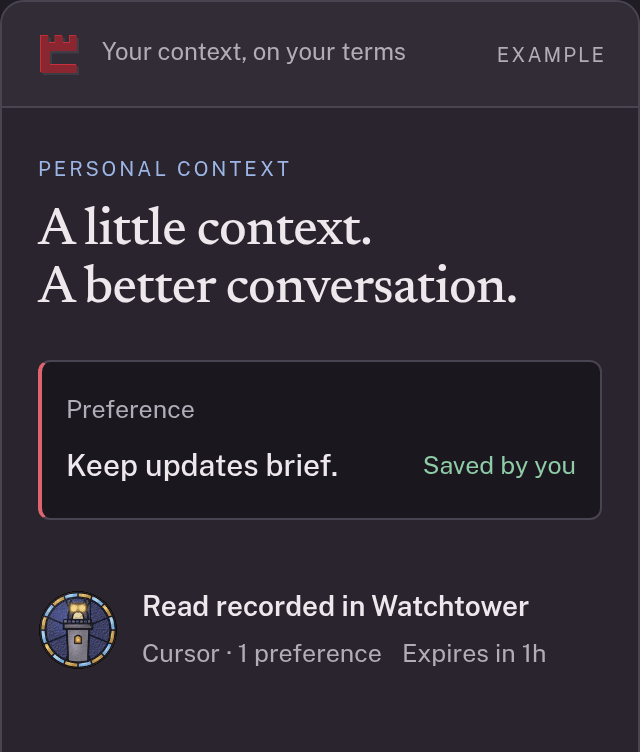
YOUR PROGRESS CARRIES FORWARD
Your experience is the upgrade.
Your next agent should inherit your progress. Keep the preferences, corrections and working methods you approve, then share the relevant parts with each new agent.
-
01 · REMEMBER

Build your base
Approve a useful memory once. Let your connected agents draw on it with the access you choose.
-
02 · REFINE

Sharpen your playbook
Turn a correction into a standing rule. Keep its source and history, and refine it as your needs change.
-
03 · ADVANCE

Start further ahead
Carry decisions, completed work and next steps into your next agent conversation with a reviewed handoff.
The upgrade stays with you. Your context and playbook grow. You choose what each agent inherits.
Explore how your knowledge compoundsA castle for your context

Two layers in one ledger
Who you are
- identity
- people
- goals
- habits
- preferences
- routines
Facts you chose to write down or confirm, each with its date and source.
How you want agents to work
- standing rules
- style
- autonomy limits
- privacy lines
- procedures
Your approved rules accompany context reads. They guide an agent's behavior; Castellan enforces access to your context, while the agent controls its work in other services.

Build your context layer. Choose access. Give your next agent a head start.

Castellan updates
Stay connected.
Receive Castellan news by email. Unsubscribe at any time. Updates do not create a beta account.
Your five rooms
Overview shows your next step. Records keeps approved context. Agents manages connections, with the Gatehouse for approving or refusing access. Watchtower shows the evidence. Settings holds your account and security choices.
Explore the rooms and the approval flow